

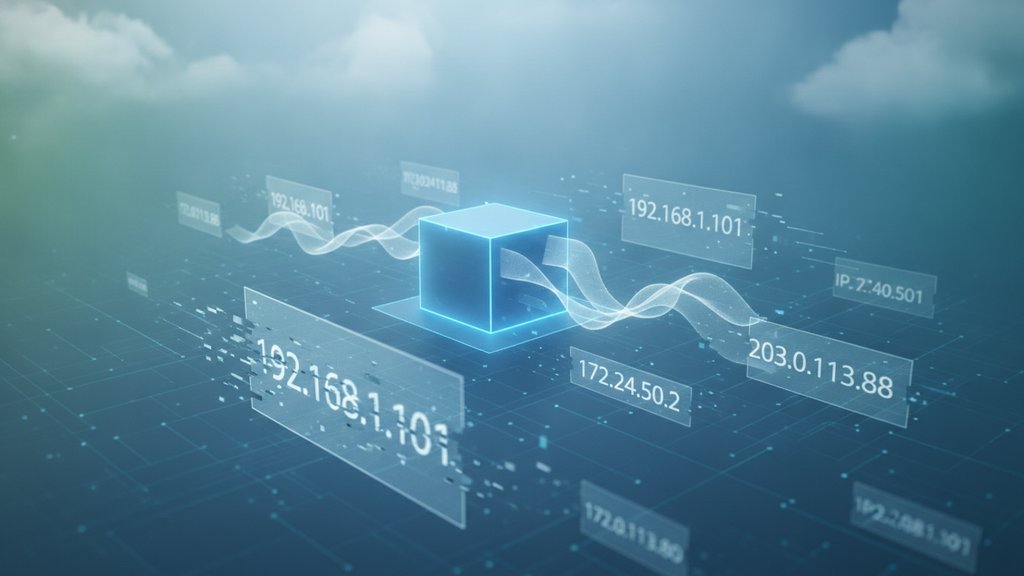
Your IP address keeps changing because most home internet connections use dynamic IP assignment, meaning your ISP hands out addresses temporarily through a system called DHCP instead of permanently reserving one for you. When that temporary lease expires, or your router restarts, you often get a fresh IP. It is normal behavior, not a sign that something is broken.
Below we break down exactly why this happens, when it is a problem, and how to lock in a fixed address if you actually need one.
Content Table
How DHCP hands out your IP
When your router or device connects to a network, it doesn't pick its own address out of thin air. It asks for one. That request-and-grant process runs on the Dynamic Host Configuration Protocol (DHCP), defined in RFC 2131.
Here is the short version of what happens:
- Your device broadcasts a request: "I need an address."
- The DHCP server (your ISP for your public IP, or your router for devices inside your home) offers one from its pool.
- The address comes with a time limit called a DHCP lease.
- Before the lease runs out, your device tries to renew it and usually keeps the same address.
The key word is lease. You don't own the IP. You borrow it. And borrowed things get returned.
The real reasons your IP changes
A changing public IP almost always traces back to one of these triggers:
| Trigger | What happens |
|---|---|
| DHCP lease expiration | The lease timer runs out and the ISP assigns a new address instead of renewing the old one. |
| Router reboot or power loss | On reconnect, your router requests a new lease and may land on a different IP. |
| Modem offline too long | If your old lease expired while you were disconnected, that IP got recycled to someone else. |
| ISP maintenance or reallocation | Providers periodically shuffle their address pools, pushing new IPs to customers. |
| Switching networks or using a VPN | Your visible IP becomes the exit point of that network, not your home connection. |
DHCP lease times vary a lot. Some residential ISPs set leases as short as a few hours, others stretch to a week or more. That is why some people see their IP change every day while others keep the same one for months.
Static IP vs dynamic IP
The whole "why does my IP change" question comes down to which type of address your ISP gave you.
| Feature | Dynamic IP | Static IP |
|---|---|---|
| Assignment | Automatic via DHCP lease | Manually fixed, never rotates |
| Cost | Included by default | Often a paid add-on |
| Changes over time | Yes, on lease expiration or reboot | No, stays the same |
| Best for | Everyday browsing, streaming, gaming | Hosting servers, remote access, whitelisting |
For most people, a dynamic IP is actually the better default. It costs nothing, it improves privacy slightly since your address isn't permanently tied to you, and it lets ISPs manage limited IPv4 space efficiently. IPv4 shortage is a big reason dynamic addressing exists at all, and it is also why the world is slowly moving to a much larger address space. If that transition interests you, we cover it in our look at why IPv6 adoption is still slow.
You actually have two IP addresses
This trips up a lot of people. There are two separate addresses in play, and they change for different reasons:
- Public IP: The address the internet sees, assigned by your ISP. This is the one that changes with DHCP lease expiration. Websites, game servers, and IP lookup tools see this one.
-
Private IP:
The local address your router gives each device (like
192.168.1.42). This only exists inside your home network and can also shift if your router hands out a different lease to a device.
So if your laptop's local IP changed, that is your router's internal DHCP at work, separate from your public address flipping. Both use the same lease concept, just on different networks.
How to assign a static IP
If a changing address genuinely gets in your way, you have two levels of "static." Pick based on which IP you need to pin.
Static private IP (inside your home)
This is free and takes two minutes. It keeps a specific device on the same local address so things like port forwarding or a home printer stay reachable.
-
Log into your router's admin page (often
192.168.1.1). - Find the DHCP or LAN settings section.
- Look for "DHCP Reservation" or "Address Reservation."
- Match your device's MAC address to a chosen IP and save.
Now that device gets the same private IP on every ip address renewal, even after reboots.
Static public IP (from your ISP)
You cannot force this yourself. A permanent public address has to come from your provider, usually as a paid business or add-on plan. Call your ISP and ask for a static IP setup if you plan to host a website, run a mail server, or need consistent remote access.
When a changing IP actually matters
Honestly? Most of the time it doesn't. Streaming, browsing, and gaming all work fine on a dynamic IP because DNS and your ISP handle the routing behind the scenes. A changing address becomes a real problem only in specific cases:
- Hosting a service: A game server or website needs a stable address so people can reliably reach it.
- Remote access: Connecting to a home computer or security camera from outside gets harder when the target IP keeps moving.
- IP whitelisting: Some workplaces or databases only allow connections from approved addresses.
If you're troubleshooting whether a device is even reachable after an IP change, a quick connectivity test helps. Our ping tool tells you fast whether the new address is responding, and the same page shows how to ping a website step by step. And if a domain you host isn't resolving after an IP swap, the delay is usually DNS propagation catching up, not the IP itself.

See exactly what your IP address is right now
Wondering why your IP address changes? Our free What Is My IP tool instantly shows your current public IPv4 or IPv6 address plus your ISP, ASN, and location, so you can confirm every time it shifts.
Check my IP address →
No, it is completely normal. Most home connections use dynamic IP assignment through DHCP, so your public address rotates when the lease expires or your router reboots. It causes no problems for browsing, streaming, or gaming, and it slightly helps your privacy.
It depends entirely on your ISP's DHCP lease time. Some leases last a few hours, others last a week or more. Many people keep the same IP for weeks unless they reboot their router or their modem stays offline long enough for the lease to expire.
For your public IP, you need to request a static IP from your ISP, usually a paid option. For a device's local IP, you can set up a DHCP reservation in your router for free, which keeps that device on the same private address every time it connects.
When your router restarts, it requests a fresh DHCP lease from your ISP. If your previous lease had expired or the ISP recycled the address, you get a different IP. Keeping the router powered on continuously often lets you hold the same address longer.
A dynamic IP is assigned automatically through a DHCP lease and changes over time, and it is the free default for most homes. A static IP is fixed and never rotates, which suits hosting servers or remote access, but it usually costs extra from your provider.